
How it works
- Build a WordPress plugin (or a theme, template or script) that helps stores sell more.
- Upload the .zip in your developer dashboard. Automatic safety checks run on every upload.
- Submit for review. We test it and approve it, or tell you exactly what to change.
- Sell: approved plugins are listed on our Plugins page. Free or paid - you set the price, up to $1,000.
- Get paid: 80% of each sale, sent monthly to your bank account.
Get started
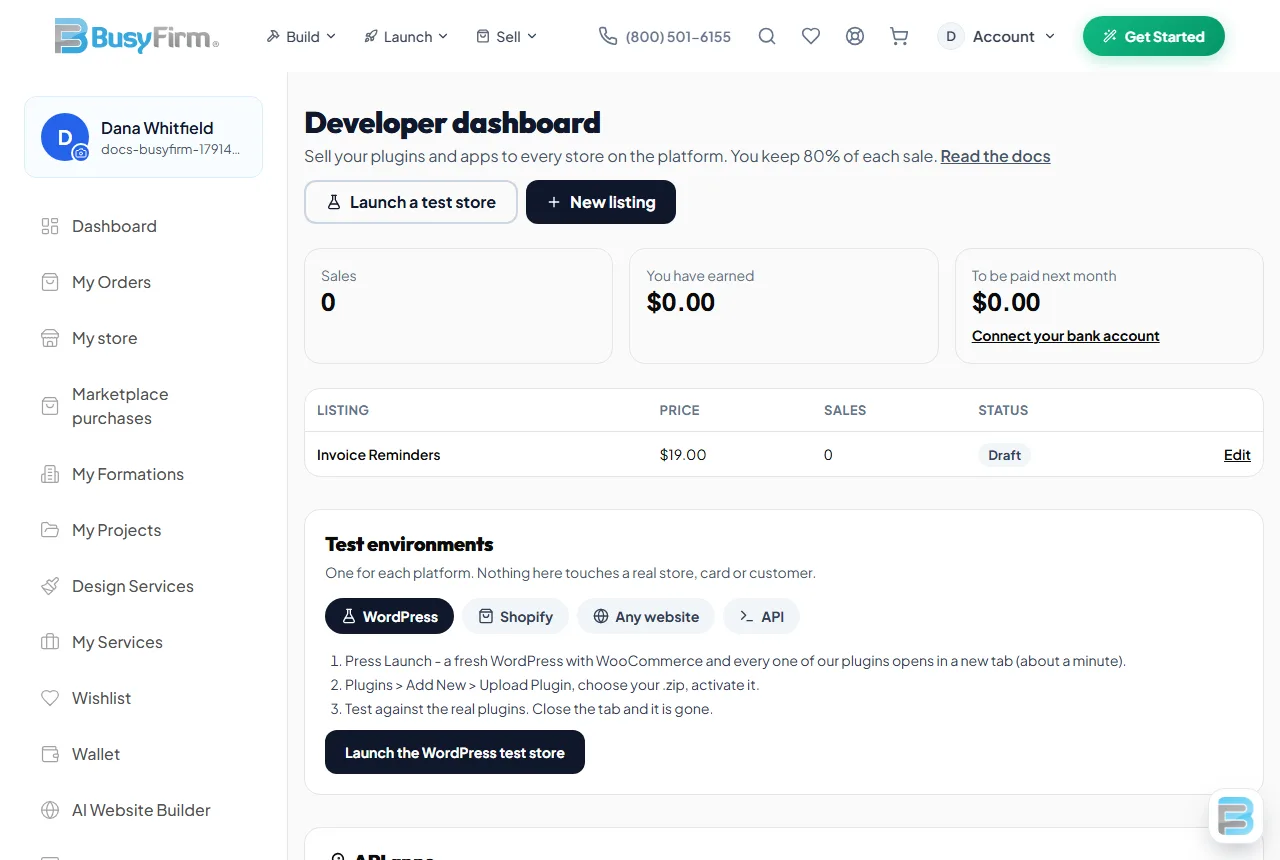
- Create a free account, then open the developer dashboard.
- Connect your bank account for payouts (bank-grade secure onboarding).
- Create an API key under API keys if your plugin talks to the platform.
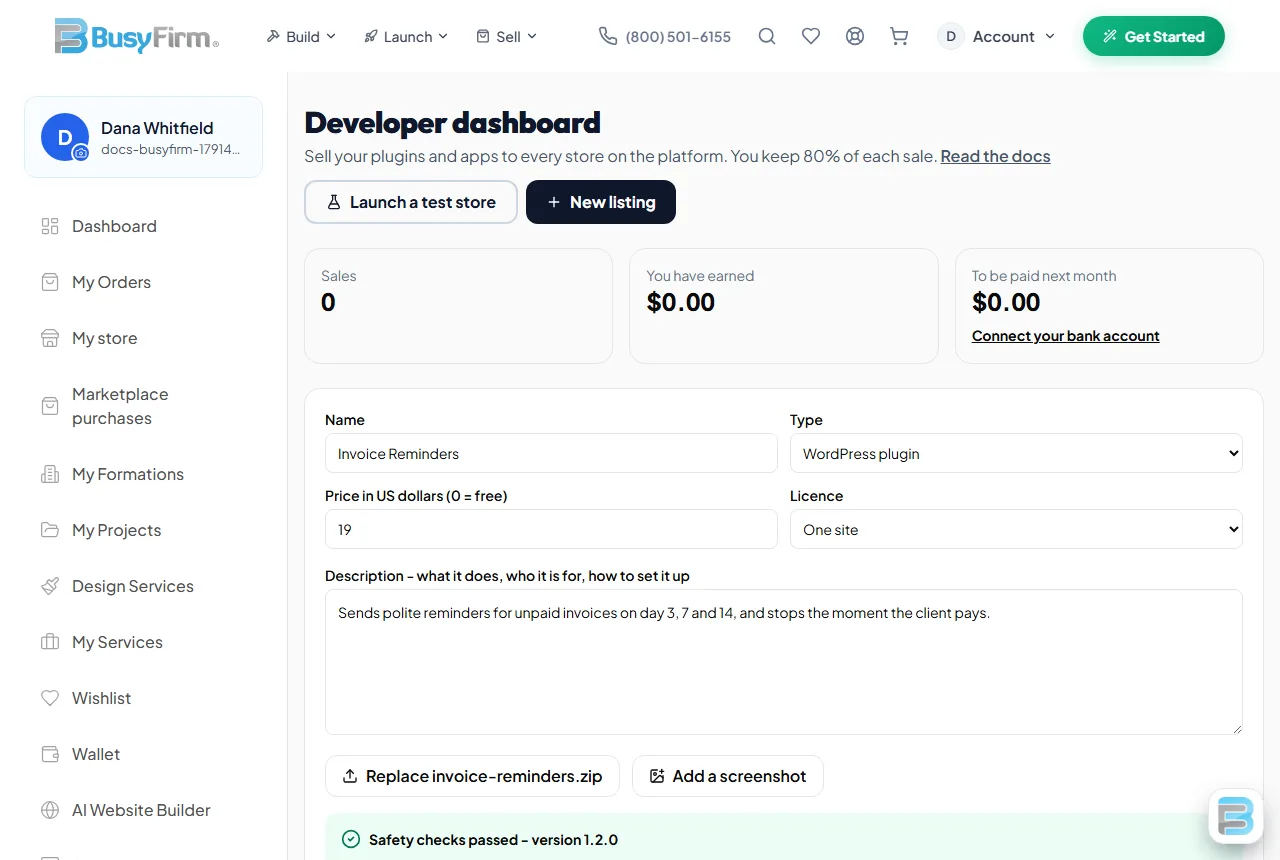
- Press New listing, fill in the details, upload your .zip and screenshots, then Submit for review.
Build a WordPress plugin
Your zip must hold exactly one folder with your main plugin file inside it:
your-plugin/
  your-plugin.php      <- the main file, with the header below
  readme.txt           <- description, FAQ, changelog
  includes/ ...
<?php
/**
 * Plugin Name: Your Plugin
 * Description: One sentence on what it does.
 * Version:     1.0.0
 * Author:      You
 * License:     GPL-2.0-or-later
 * Text Domain: your-plugin
 */
defined( 'ABSPATH' ) || exit;
- Prefix every function, option and class with your plugin's name, so it never clashes with others.
- Check permissions (
current_user_can) and nonces on every admin action; sanitize input and escape output. - Use
$wpdb->preparefor every query built from a variable. - Load translations from a
languages/folder so stores can translate it. - If your plugin calls an outside service, say so in readme.txt: what is sent, when, and links to its terms and privacy policy.
Test environments
A separate test environment for every platform - open them from your developer dashboard. Nothing in them touches a real store, card or customer.
WordPress test business site
- Dashboard > Test environments > WordPress > Launch. A fresh WordPress with WooCommerce and every one of our plugins opens in a new tab.
- Plugins > Add New > Upload Plugin, choose your .zip and activate it.
- Test it against our real plugins. Close the tab and the whole site is gone.
Shopify development store for client shops
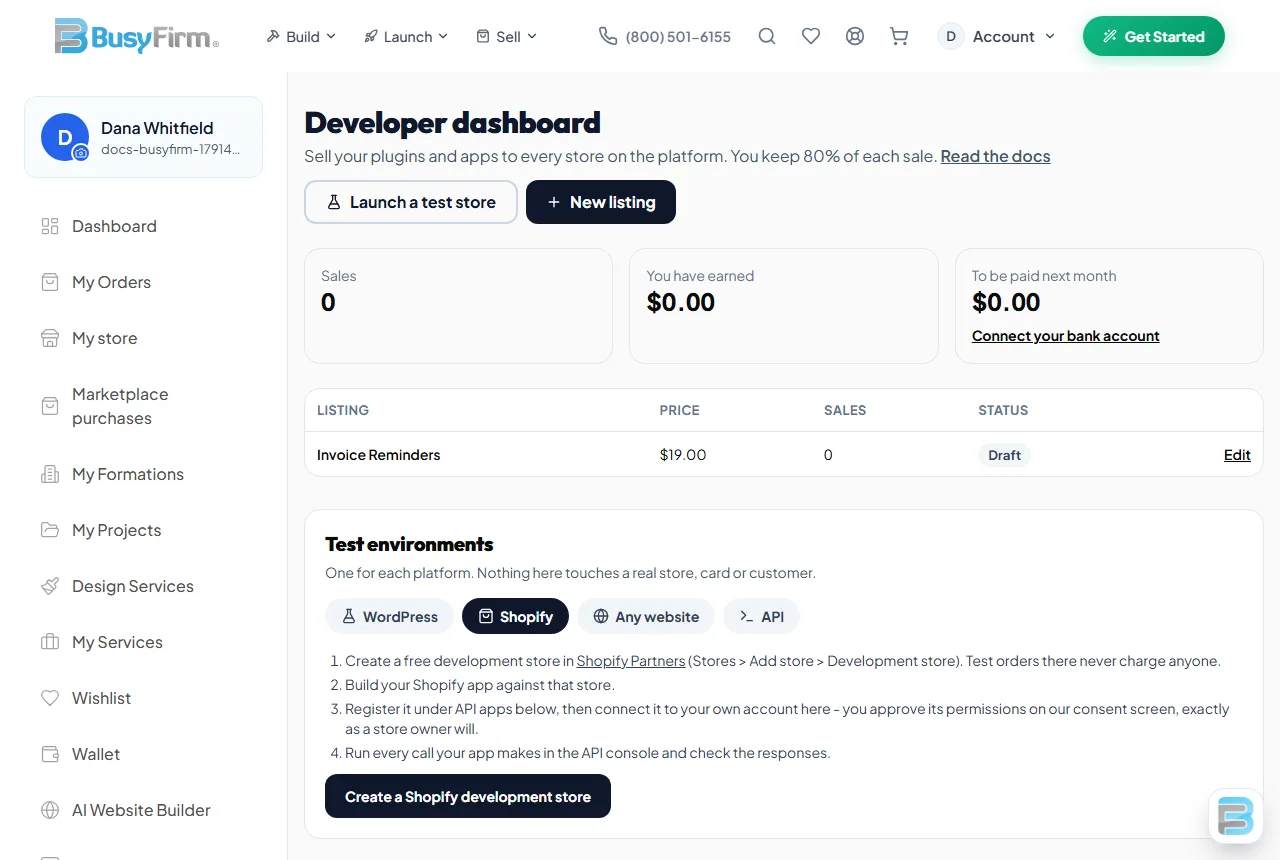
- Create a free development store in Shopify Partners (Stores > Add store > Development store).
- Build your app there, register it under API apps, and connect it to your own account - you approve its permissions on our consent screen, exactly as a store owner will.
- Test orders on a development store never charge anyone.
Test page for firm websites
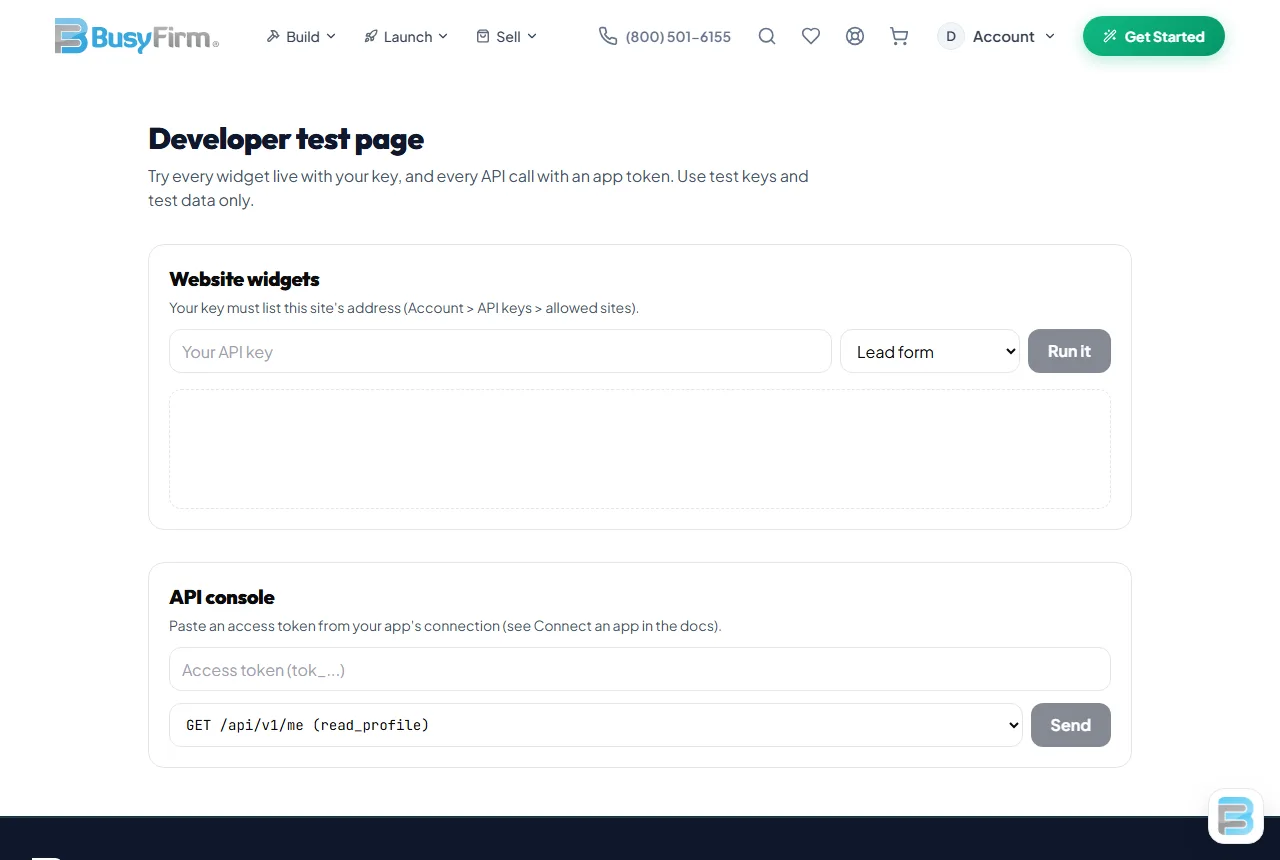
- Create a key under API keys and limit it to this site's address.
- Open the website test page, paste the key and pick a widget - product designer, lead form, booking or chat. It runs live, exactly as on any website.
API console for business records
- Register an API app in your dashboard and connect it to your own account.
- Paste the access token into the API console and run each call - you see the exact response, including refusals for permissions you did not grant.
API reference
Every call from a WordPress site is made server to server with the store's API key - never from the browser.
POST https://www.busyfirm.com/api/plugins/init
{ "api_key": "...", "plugin": "designer", "domain": "store.com" }
-> 200 { "plugin": "designer", "plan": "...", ... }   401 bad key   403 site not allowed

POST https://www.busyfirm.com/api/plugins/licence
{ "api_key": "...", "plugin": "designer", "domain": "store.com" }
-> 200 { "pro": true|false, "plan_name": "...", "reason": "...", "upgrade_url": "..." }

POST https://www.busyfirm.com/api/plugins/lead
{ "api_key": "...", "name": "...", "email": "...", "message": "..." }   -> a contact in the store's CRM
Any website can embed our tools with one line - see the embed guide.
Connect an app (permissions)
Apps that work with a store owner's account use standard OAuth 2.0. Register the app in your dashboard (API apps) to get an app ID and secret, then:
1. Send the owner to
   https://www.busyfirm.com/oauth/authorize?client_id=APP_ID&redirect_uri=https://yourapp.com/callback&scope=read_crm+write_crm&state=RANDOM
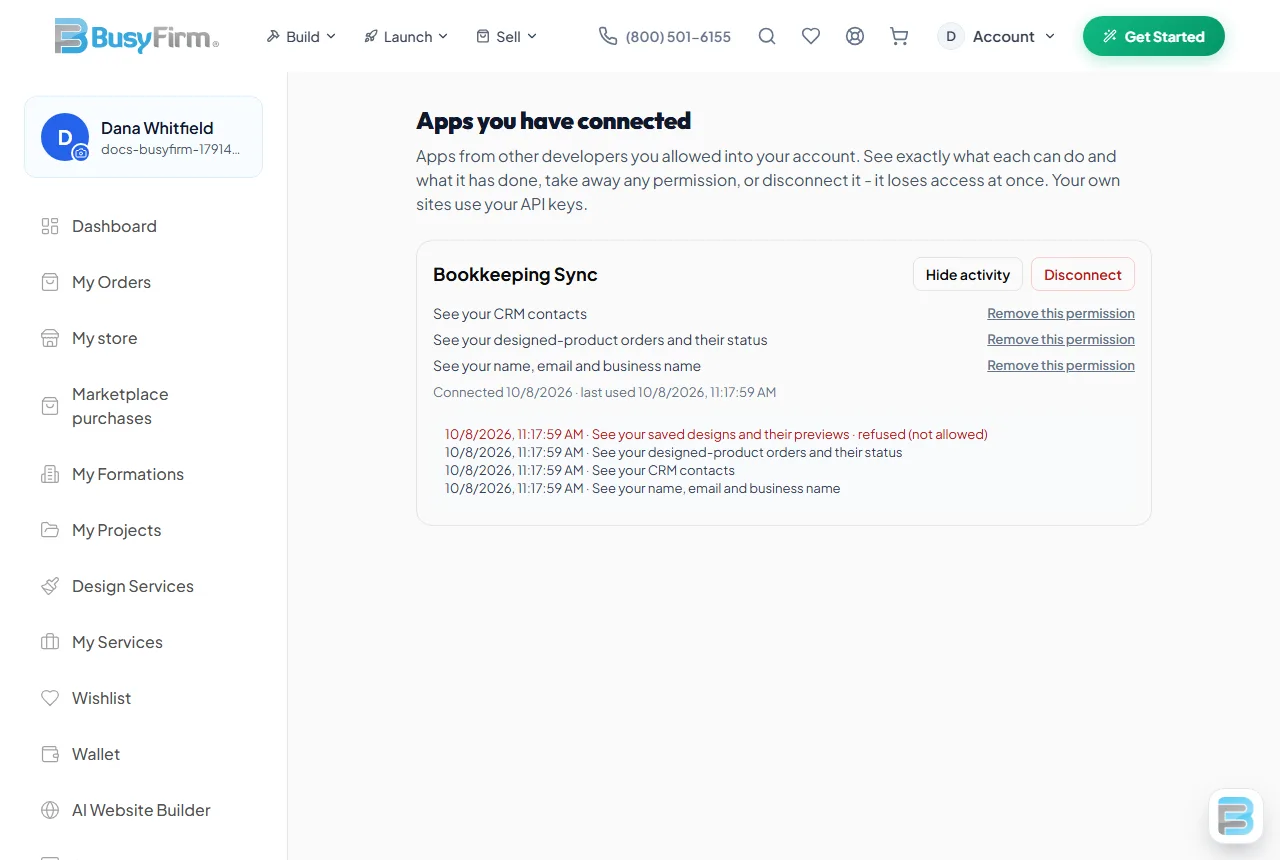
2. They see your app and each permission in plain words, and press Allow (or Deny).
3. You get  https://yourapp.com/callback?code=CODE&state=RANDOM  - check state, then exchange the code (once, within 5 minutes):
   POST https://www.busyfirm.com/api/oauth/token
   { "grant_type": "authorization_code", "client_id": "APP_ID", "client_secret": "SECRET", "code": "CODE", "redirect_uri": "https://yourapp.com/callback" }
   -> { "access_token": "...", "token_type": "bearer", "scope": "read_crm write_crm" }
4. Call the API with  Authorization: Bearer ACCESS_TOKEN
Permissions: read_profile, read_crm, write_crm, read_orders, read_designs. Ask only for what your app needs - the owner sees every one.
GET  /api/v1/me               read_profile
GET  /api/v1/crm/contacts     read_crm      (?limit=50&after=<created_at>)
POST /api/v1/crm/contacts     write_crm     { "name", "email", "phone", "company", "title", "notes" }
GET  /api/v1/orders           read_orders
GET  /api/v1/designs          read_designs
401 invalid_token - the owner disconnected your app;  403 insufficient_scope - that permission was not granted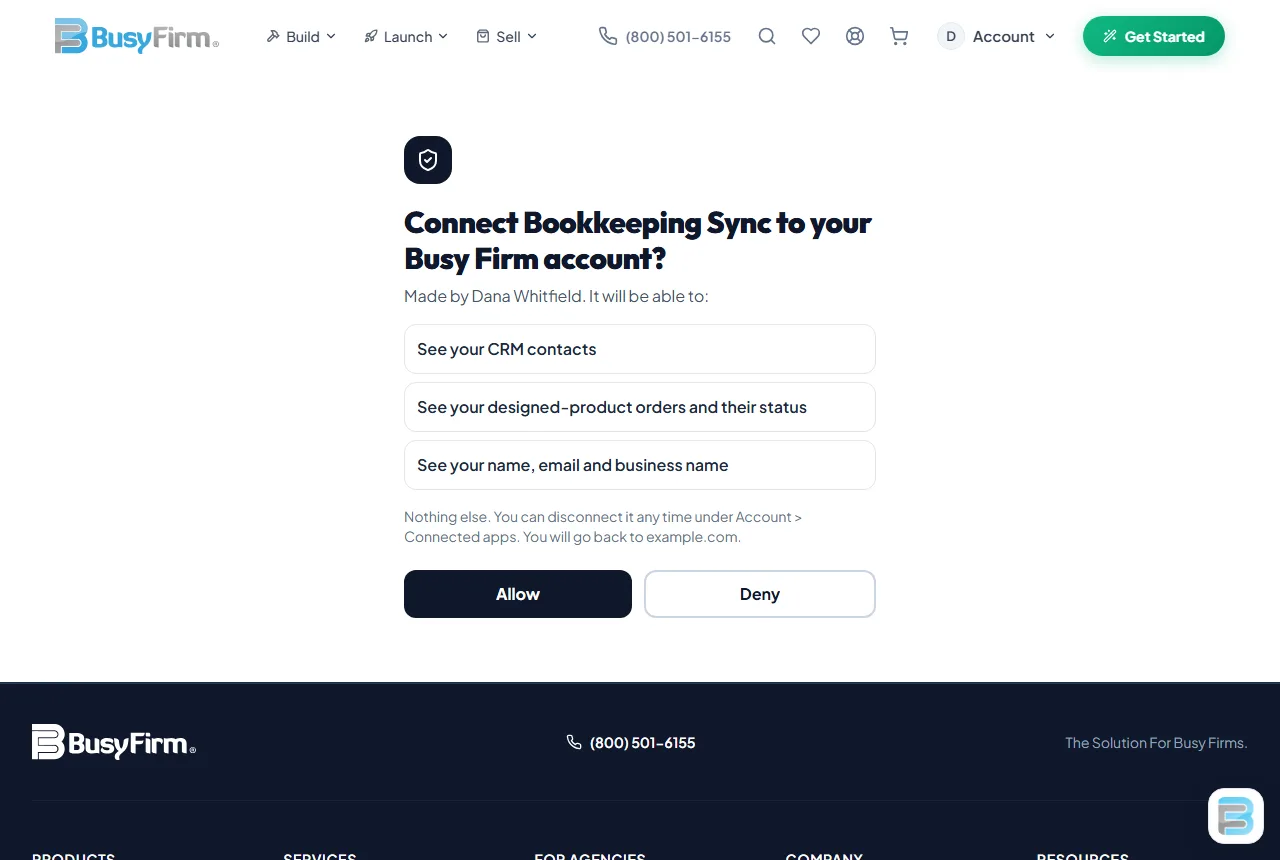
Submission and review
Every upload is checked automatically. These block submission:
- Code hidden with eval(base64), gzinflate or rot13; preg_replace /e; functions run from visitor input; known web-shells.
- Programs in the zip (.exe, .dll, .so, .sh, .phar) or unsafe paths (../).
- No main plugin file, or more than one top folder.
These are flagged for the reviewer: shell commands, calls to outside services, queries built from variables, very long encoded strings, a missing readme.txt, a non-GPL licence.
Then a person reviews it. If changes are needed you see the reason in your dashboard; fix it and submit again. An update to a live plugin goes through review too - the approved version stays on sale until the update is approved.
Pricing and payouts
- You set the price: free, or $1 to $1,000.
- We take 20%; you keep 80% of every sale.
- Earnings show in your dashboard straight away and are paid monthly to your connected bank account.
- Refunds come out of the next payout.
Developer rules
- No malware, tracking without consent, or collecting data the plugin does not need.
- Your plugin must do what its listing says. Screenshots must be real.
- Support your buyers and keep your plugin working with current WordPress and WooCommerce.
- We may remove a plugin that breaks these rules or puts stores at risk.